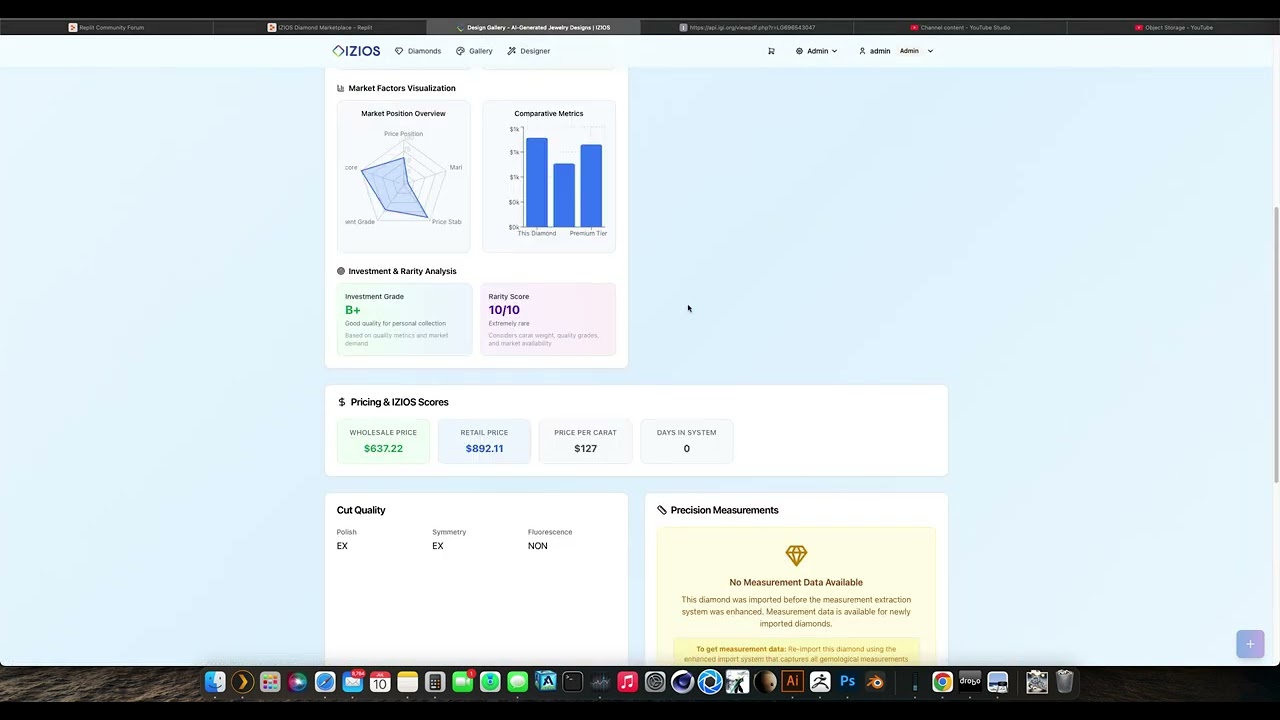
I have been a little busy the last few months with minimal updates but I wanted to say how much better things are with the new rules replit.md. I wanted to show mine as an example and show what I have built so far, I’m nearing completion:
IZIOS Diamond Management Platform
Overview
IZIOS is a comprehensive diamond intelligence platform focused on lab-grown diamonds, integrating real-time inventory management with advanced AI visualization technology. The platform serves as both an inventory management system and e-commerce platform, leveraging direct integration with Nivoda’s GraphQL API for real-time diamond data.
System Architecture
Frontend Architecture
- Framework: React with TypeScript
- Styling: TailwindCSS with shadcn/ui components
- State Management: TanStack React Query for server state
- Build Tool: Vite with ESM modules
- Responsive Design: Mobile-first approach with touch gestures for 360° diamond viewing
Backend Architecture
- Runtime: Node.js with Express.js
- Language: TypeScript with ESM modules
- Session Management: PostgreSQL-based session store with encrypted cookies
- Authentication: JWT tokens with role-based access control (admin/user)
- API Design: RESTful endpoints with GraphQL integration for external services
Data Storage Solutions
- Primary Database: PostgreSQL 16 with Drizzle ORM
- Schema: Single table design (
lab_grown_diamonds) optimized for search performance - Caching: NodeCache for search results, filter options, and count queries
- Session Storage: PostgreSQL session store for user authentication
Key Components
1. Unified Nivoda Services Architecture
The platform uses a sophisticated 3-tier architecture with centralized authentication and service coordination:
Centralized Token Management (server/services/nivoda/auth/token-manager.ts)
- Singleton-based token manager with 6-hour lifecycle management
- 30-minute refresh buffer prevents mid-operation token expiration
- Thread-safe token sharing across all services eliminates authentication conflicts
- Automatic retry logic with exponential backoff for network failures
- Proper GraphQL authentication using Nimblechapps variables format
- MANDATORY REQUIREMENT: All GraphQL API interactions MUST use the central authentication system - never create separate authentication instances
Service Coordination System (server/services/nivoda/coordinator/nivoda-service-coordinator.ts)
- Priority-based queue management (HIGH/MEDIUM/LOW priorities)
- Maximum 2 concurrent services prevents API rate limit violations
- Real-time service lifecycle tracking with complete console transparency
- Intelligent resource allocation - high priority services can pause lower priority ones
- Automatic queue processing when services complete
Unified Nivoda Service (server/services/unified-nivoda-service.ts)
- Centralized API client with 1.0-second rate limiting
- Request queuing system for serialized API calls
- NIVODA API LIMITS: Maximum 50 diamonds per request, 1-second spacing between requests
- Session scaling: Thousands of diamonds per session through proper request spacing
- Handles both fancy and white diamond processing
- Comprehensive error handling with graceful degradation
- STATUS: Availability checks FULLY OPERATIONAL with real-time diamond verification
- White Diamond Analysis Service (
server/services/white-diamond-analysis-service.ts)- 10 GIA grade levels with investment qualification scoring
- Market categorization and quality assessments
- Light performance scoring and fluorescence analysis
- STATUS: Fully operational
- Fancy Color Extraction Service (
server/services/fancy-color-extraction-service.ts)- 39 colors, 9 intensities, 4 categories (Warm, Cool, Rare, Neutral)
- GIA compliance with advanced color processing
- Intensity and purity analysis for premium pricing
- STATUS: Fully operational
2. High-Performance Search System
Multi-tier caching strategy designed to handle 450k+ diamonds with sub-200ms response times:
- Search Results Cache: 5-minute TTL, 1000 key limit
- Filter Options Cache: 30-minute TTL, 50 key limit
- Count Cache: 10-minute TTL, 500 key limit
- Database Indexing: Composite indexes for shape, price, carat, and quality filters
3. WooCommerce Integration
Complete checkout integration with checkout.izios.com:
- Cart Synchronization Service: Real-time inventory validation
- Automated Hold System: Diamond holds during checkout process
- Order Management: Integration with WooCommerce order lifecycle
4. Diamond Grading System (IZIOS)
Comprehensive grading system combining traditional gemology with modern analytics:
- IZIOS Light Score: 1-10 scale measuring optical performance (50% weight)
- SmartValue™ Pricing: Market-based pricing analysis
- Investment Grading: Qualification scoring for investment-grade diamonds
Data Flow
Diamond Import Process
- Authentication: Nivoda GraphQL authentication with 6-hour token refresh
- Search & Filter: Query diamonds by shape, quality, and media availability
- Processing: Parallel processing of white and fancy colored diamonds
- Analysis: IZIOS grading system application
- Storage: PostgreSQL insertion with SEO-optimized URLs
- Indexing: Automatic search index updates for real-time availability
Search & Discovery Flow
- User Query: Frontend filter selection and search parameters
- Cache Check: Multi-tier cache verification for existing results
- Database Query: Optimized SQL with composite indexes
- Response: Formatted results with pagination and sorting
- Caching: Store results for subsequent similar queries
Purchase Flow
- Browse: High-performance search with 360° viewing
- Selection: Add to cart with real-time availability check
- Validation: WooCommerce cart synchronization
- Hold: Automatic diamond hold during checkout
- Checkout: Redirect to checkout.izios.com
- Completion: Order processing and inventory updates
External Dependencies
Required APIs
- Nivoda GraphQL API: Primary diamond inventory source
- WooCommerce API: Checkout and order management
- SendGrid: Email notifications and marketing
CRITICAL: Nivoda API Rate Limits
MANDATORY COMPLIANCE RULES - NEVER VIOLATE:
- Maximum 50 diamonds per API request - HARD LIMIT enforced by Nivoda
- Minimum 1-second spacing between all API requests
- Session scaling approach: Import thousands of diamonds through properly spaced baches
- Bach size enforcement: All services MUST respect 50-diamond maximum
- Rate limit violations: Can result in API access suspension
- Implementation: Use progressive import service with proper request spacing
- reCAPTCHA: Form protection and bot prevention
Environment Variables
DATABASE_URL: PostgreSQL connection stringNIVODA_USERNAME/NIVODA_PASSWORD: API credentialsWOOCOMMERCE_CONSUMER_KEY/WOOCOMMERCE_CONSUMER_SECRET: API keysRECAPTCHA_SITE_KEY/RECAPTCHA_SECRET_KEY: Form protectionSESSION_SECRET: Cookie encryption key
Service Integrations
- Replit PostgreSQL: Managed database service
- Nivoda: Real-time diamond inventory (450k+ diamonds)
- checkout.izios.com: External WooCommerce checkout system
- Media Proxy: Diamond image and 360° video delivery
Deployment Strategy
Replit Deployment
- Auto-scaling: Configured for traffic-based scaling
- Build Process: Vite frontend build + esbuild backend bundle
- Environment: Node.js 20 with PostgreSQL 16 module
- Workflows: Automated testing and security checks
Performance Optimization
- Database Indexes: Composite indexes for common filter combinations
- Caching Strategy: Multi-tier caching with intelligent invalidation
- NIVODA API RATE LIMITS: Strict adherence to 50 diamonds per request maximum with 1-second spacing
- Request Spacing: Thousands of diamonds per session through proper request timing and bach management
- Asset Optimization: Lazy loading and responsive image delivery
- Configurable Logging: Adjustable log levels (silent/minimal/normal/verbose) to optimize console output and system performance
Monitoring & Maintenance
- Service Health: Automated monitoring of Nivoda API connectivity with configurable alert levels
- Inventory Sync: Scheduled verification of diamond availability
- Performance Metrics: Cache hit rates and response time tracking
- Error Handling: Comprehensive logging and error recovery
- Adaptive Logging: 4-tier logging system (silent/minimal/normal/verbose) for optimal console management and debugging capabilities
Common Issues & Resolutions
CRITICAL: Admin Router Duplication Pattern
Problem: Multiple admin routers and authentication middleware being registered on the same /api/adminpath Symptoms:
- Server startup errors: “ReferenceError: adminRouter is not defined”
- Fatal error during server startup at server/routes.ts registerRoutes function
- Duplicate route registrations causing conflicts
Root Cause: Creating multiple admin router imports and mounting them on the same path repeatedly
Resolution Pattern: Use only ONE admin router system
- Use ONLY
adminRoutesRouterfrom./routes/admin/index - Use ONLY
simpleAdminCheckmiddleware (defined locally in routes.ts) - Mount admin routes ONCE:
app.use('/api/admin', simpleAdminCheck, adminRoutesRouter); - NEVER import or use:
adminRouter,requireAuth,requireAdminfrom external sources
Prevention Rules:
- Before creating ANY admin-related middleware or router: Search existing code first
- Before importing authentication: Use the existing
simpleAdminCheckfunction - Before mounting routes: Check if
/api/adminis already registered - When fixing auth issues: Edit existing middleware, don’t create new ones
Fixed July 5, 2025: Removed duplicate admin router registrations and standardized on single admin system
Nivoda API Authentication Issue
Problem: API calls to Nivoda endpoints return HTML instead of JSON, indicating authentication failureSymptoms:
- Curl commands to
/api/nivoda-control-center/*endpoints return HTML login page - Console shows “user: null” in API request logs
- Import operations fail without processing
Root Cause: Nivoda import endpoints require admin authentication but curl commands don’t include session cookies
Resolution: Use the admin panel instead of direct API calls
- Login to admin panel at
/admin/diamonds/management - Use “Start Import” button in the Diamond Management Center
- Or authenticate curl with session cookies from browser dev tools
Prevention: Always use authenticated admin interface for Nivoda operations, or implement API key authentication for programmatic access
Replit Authentication System Issue
Problem: Replit’s built-in authentication system is unreliable and causes frequent login failures Impact: Users cannot access admin functionality, import operations fail due to authentication issues Resolution: NEVER use Replit auth system - implement custom authentication instead Status: Critical system limitation that affects core functionality
Component Management Rules
CRITICAL RULE: NO COMPONENT DUPLICATION
To prevent the massive component duplication that occurred (23+ duplicate diamond components), follow these strict rules:
1. Diamond Component Architecture (FINAL - DO NOT DUPLICATE)
- EnhancedDiamondCard.tsx - ONLY diamond card component (used by all grids)
- CompactDiamondGrid.tsx - ONLY diamond grid component (actively used)
- DiamondDetailView.tsx - ONLY diamond detail view component
- CompactDiamondsPage.tsx - ONLY diamond browsing page
- DiamondPage.tsx - ONLY individual diamond page
2. Naming Convention Rules
- NEVER create components with similar names like:
- DiamondCard, EnhancedDiamondCard, ImprovedDiamondCard
- DiamondView, ModernDiamondView, UnifiedDiamondView
- DiamondPage, DiamondsPage, EnhancedDiamondsPage
- ALWAYS edit existing components instead of creating new ones
- NEVER add suffixes like: -new, -fixed, -enhanced, -improved, -v2, -updated
3. Component Editing Protocol
- Before creating ANY diamond-related component: Search for existing ones first
- Before duplicating functionality: Enhance the existing component
- When fixing bugs: Edit the existing component, don’t create a new version
- When adding features: Extend the existing component
4. Approved Component Names (NEVER DUPLICATE)
- EnhancedDiamondCard.tsx ✓ (FINAL)
- CompactDiamondGrid.tsx ✓ (FINAL)
- DiamondDetailView.tsx ✓ (FINAL)
- CompactDiamondsPage.tsx ✓ (FINAL)
- DiamondPage.tsx ✓ (FINAL)
5. Maintenance Actions Completed
- July 5, 2025: Removed 23+ duplicate diamond components:
- 5 duplicate diamond cards → Keep only EnhancedDiamondCard.tsx
- 12+ duplicate diamond views → Keep only DiamondDetailView.tsx
- 6 duplicate diamond pages → Keep only CompactDiamondsPage.tsx + DiamondPage.tsx
- 4 duplicate AI scout versions → Keep only ai-diamond-scout.tsx
- 3 duplicate diamond filters → Keep only current DiamondFilter.tsx