The error comes from libstdc++.so.6 that is a fundamental system library hat persists across all grpcio versions.
ImportError: libstdc++.so.6: cannot open shared object file: No such file or directory
Specifically - in my case - is related to google.generativaai package that is using grpcio
Stacktrace
Traceback (most recent call last):
  File "/home/runner/workspace/main.py", line 11, in <module>
    from routes.documents import router as documents_router
  File "/home/runner/workspace/routes/documents.py", line 11, in <module>
    from services.document_service import DocumentService
  File "/home/runner/workspace/services/document_service.py", line 12, in <module>
    from services.ai_service import AIService
  File "/home/runner/workspace/services/ai_service.py", line 8, in <module>
    import google.generativeai as genai
  File "/home/runner/workspace/.pythonlibs/lib/python3.11/site-packages/google/generativeai/__init__.py", line 45, in <module>
    from google.generativeai import caching
  File "/home/runner/workspace/.pythonlibs/lib/python3.11/site-packages/google/generativeai/caching.py", line 21, in <module>
    from google.generativeai import protos
  File "/home/runner/workspace/.pythonlibs/lib/python3.11/site-packages/google/generativeai/protos.py", line 74, in <module>
    from google.ai.generativelanguage_v1beta.types import *
  File "/home/runner/workspace/.pythonlibs/lib/python3.11/site-packages/google/ai/generativelanguage_v1beta/__init__.py", line 21, in <module>
    from .services.cache_service import CacheServiceAsyncClient, CacheServiceClient
  File "/home/runner/workspace/.pythonlibs/lib/python3.11/site-packages/google/ai/generativelanguage_v1beta/services/cache_service/__init__.py", line 16, in <module>
    from .async_client import CacheServiceAsyncClient
  File "/home/runner/workspace/.pythonlibs/lib/python3.11/site-packages/google/ai/generativelanguage_v1beta/services/cache_service/async_client.py", line 33, in <module>
    from google.api_core import gapic_v1
  File "/home/runner/workspace/.pythonlibs/lib/python3.11/site-packages/google/api_core/gapic_v1/__init__.py", line 16, in <module>
    from google.api_core.gapic_v1 import config
  File "/home/runner/workspace/.pythonlibs/lib/python3.11/site-packages/google/api_core/gapic_v1/config.py", line 23, in <module>
    import grpc
  File "/home/runner/workspace/.pythonlibs/lib/python3.11/site-packages/grpc/__init__.py", line 22, in <module>
    from grpc import _compression
  File "/home/runner/workspace/.pythonlibs/lib/python3.11/site-packages/grpc/_compression.py", line 20, in <module>
    from grpc._cython import cygrpc
ImportError: libstdc++.so.6: cannot open shared object file: No such file or directory
11 Likes
I also receive the same error when using NumPy
Traceback (most recent call last):
  File "/home/runner/workspace/.pythonlibs/lib/python3.12/site-packages/numpy/_core/__init__.py", line 22, in <module>
    from . import multiarray
  File "/home/runner/workspace/.pythonlibs/lib/python3.12/site-packages/numpy/_core/multiarray.py", line 11, in <module>
    from . import _multiarray_umath, overrides
ImportError: libstdc++.so.6: cannot open shared object file: No such file or directory

The above exception was the direct cause of the following exception:

Traceback (most recent call last):
  File "/home/runner/workspace/.pythonlibs/lib/python3.12/site-packages/numpy/__init__.py", line 112, in <module>
    from numpy.__config__ import show_config
  File "/home/runner/workspace/.pythonlibs/lib/python3.12/site-packages/numpy/__config__.py", line 4, in <module>
    from numpy._core._multiarray_umath import (
  File "/home/runner/workspace/.pythonlibs/lib/python3.12/site-packages/numpy/_core/__init__.py", line 48, in <module>
    raise ImportError(msg) from exc
ImportError:

IMPORTANT: PLEASE READ THIS FOR ADVICE ON HOW TO SOLVE THIS ISSUE!

Importing the numpy C-extensions failed. This error can happen for
many reasons, often due to issues with your setup or how NumPy was
installed.

We have compiled some common reasons and troubleshooting tips at:

    https://numpy.org/devdocs/user/troubleshooting-importerror.html

Please note and check the following:

  * The Python version is: Python3.12 from "/nix/store/nb21sc3npfc8gvazwnrjxpvb5d48jysx-python3-3.12.7/bin/python3"
  * The NumPy version is: "2.3.0"

and make sure that they are the versions you expect.
Please carefully study the documentation linked above for further help.

Original error was: libstdc++.so.6: cannot open shared object file: No such file or directory
1 Like
I have the same issue too
I also have the same issue! NumPy/pandas/everything that depends on NumPy is failing to import so no code can run.
1 Like
I had the same issue, and I made the following changes recommended by chatgpt. Add replit.nix to project root:
nix
CopyEdit { pkgs }:
pkgs.mkShell {
buildInputs = [
pkgs.python311Full
pkgs.cacert
pkgs.gcc
pkgs.libgcc
pkgs.stdenv.cc.cc.lib
pkgs.postgresql
];
}
4 Likes
and then # out the following in the .replit file:
[nix]
channel = “stable-24_05”
packages = [“cacert”, “gcc”]
5 Likes
I am also getting same issue but
( LD_PRELOAD=/nix/store/xvzz97yk73hw03v5dhhz3j47ggwf1yq1-gcc-13.2.0-lib/lib/libstdc++.so.6 python3 main.py )
you can use this trick but it run locally you can not deploy application. Yesterday my application working fine suddenly most of the project we facing issue also lots of time we waste to fix it replit team please fix it
ERROR (libstdc++.so.6.)
Same issue with my apps since today apparently!
Error I am facing please fix i have to do update in our website but i am getting error libstdc++.so.6 fix it I lost more then 8 to 9 hour to fix it same issue also.
I’m also having this problem. Spent a long time going round in circles with Claude trying to fix it, hope the environment is rescuable after all the messing about!
So I have adopted proposal solution. Since I got from replit I understand that the system prevents me from creating the replit.nix file directly. Since I cannot modify these environment configuration files, you'll need to manually create them I asked replit to create a script to create the fix!
here is the script result.
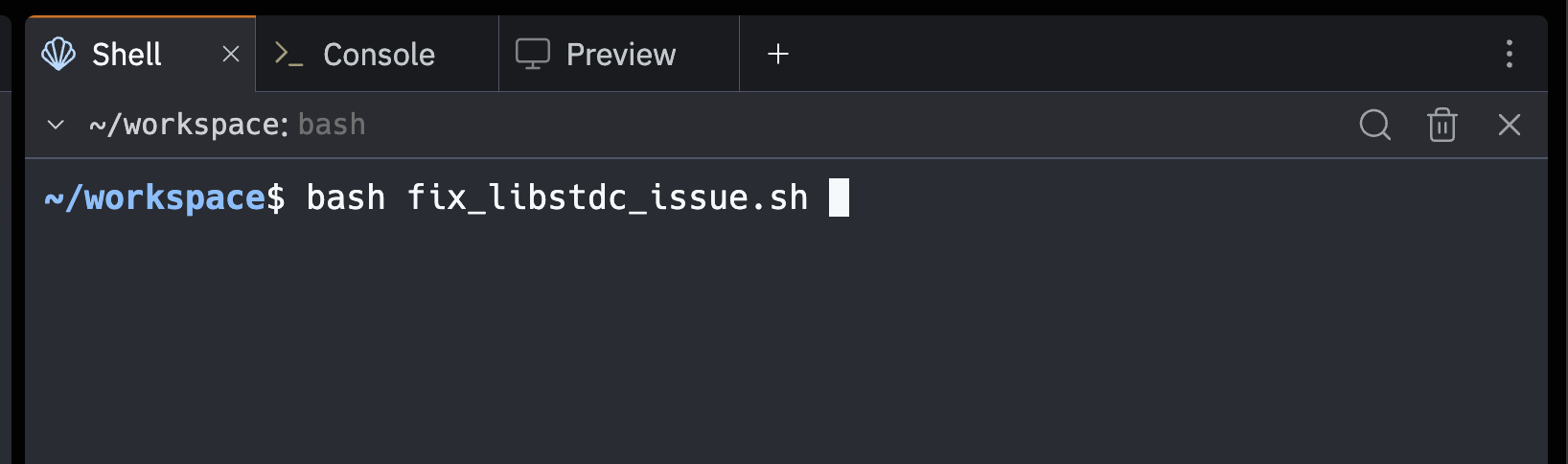
~/workspace$ bash fix_libstdc_issue.sh
Creating replit.nix file to fix libstdc++.so.6 issue...
replit.nix created successfully.
Commenting out [nix] section in .replit file...
.replit file modified successfully (backup saved as .replit.backup)

Setup complete! The following changes were made:
1. Created replit.nix with required system dependencies
2. Commented out [nix] section in .replit file

Please restart your Replit environment for changes to take effect.
After restart, the libstdc++.so.6 library should be available.
Script to run is here
Instructions in markdown here
THANKS EVERYONE HERE! ENJOY VIBE CODING!
2 Likes
I’m having the same thing with firebase integration. I went to bed with it working and woke up with it not. I’m not very impressed
1 Like
Can someone explain the process of applying this fix please?
I asked agent to execute this script but it says it has permission issue. how should I use this .sh file?
open the shell and just do “bash fix_libstdc_issue.sh”
Then restart the server. That’s it!
1 Like
issue seems to be resolved without this fix it seems now.
Yeah, that solved it! Thanks!
Same issue since Yesterday, today i could run my development environment again but i still can’t deploy my app anymore, there I get a stack smashing error
The dependency issue caused issues with gunicorn gevent and pandas.
I created a ticket yesterday but did not get any answer yet.
Edit:
Now everything works for me again